New Manage Day Feature
A new feature has been added to Pure Infinity that allows managers to easily control availability across event dates.
Scroll to find out more
A new feature has been added to Pure Infinity that allows managers to easily control availability across event dates.
Scroll to find out more
A new feature has been added to Pure Infinity that allows managers to easily control availability across event dates.
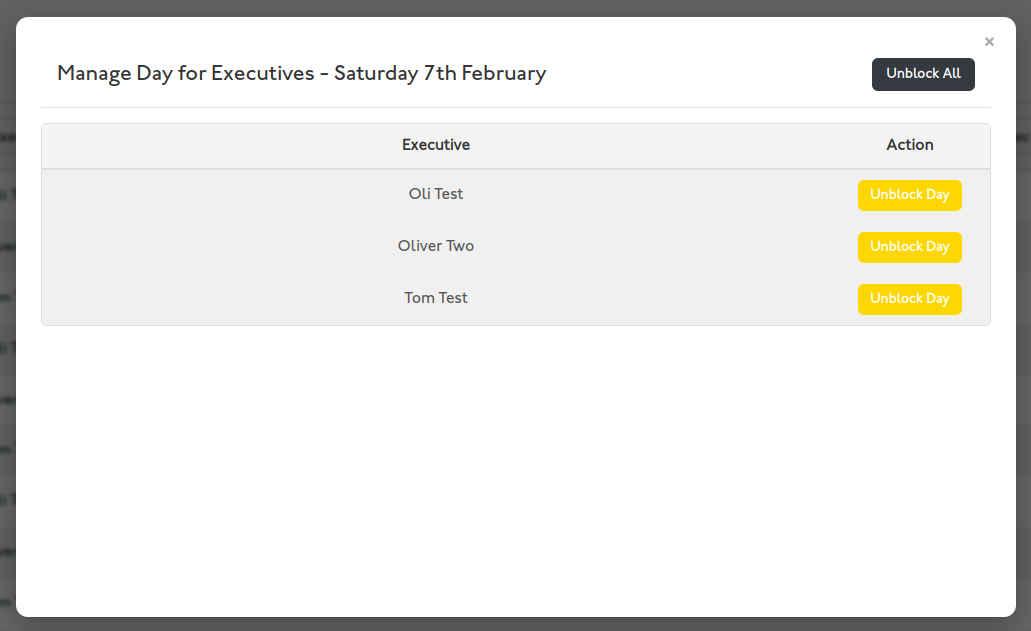
You’ll find this feature in the new “Manage Day” button, available to all managers on each calendar day. Clicking it opens a popup displaying all executives within your dealership. From here, you can instantly block or unblock all slots for any executive using the button beside their name. This is especially useful when an executive has a day off, allowing you to block their entire day with a single click.
Within the same popup, you can also block or unblock the entire day at once, affecting all executives’ slots. For example, if your dealership is closed on a particular day, you can quickly disable all appointments without manually adjusting each executive’s schedule.
Additionally, each calendar day page now includes “Next Day” and “Previous Day” buttons at both the top and bottom of the page, making it easy to move between days without returning to the main calendar.
These updates make managing executive availability more intuitive and efficient for all users.