All new Features Coming to Pure Driven Events
Search your Nearest Retailer, Autofill, Add to Calendar, Customer Self-Edit Appointment.
Scroll to find out more
Search your Nearest Retailer, Autofill, Add to Calendar, Customer Self-Edit Appointment.
Scroll to find out more
We’ve added a range of new updates to make our booking forms quicker, easier and more helpful for customers. These changes are all about removing hassle and making the whole process feel smooth from start to finish. Whether someone is booking a test drive or logging into an event, these improvements help them get it done with less effort.
Each new feature is designed with one goal in mind: make booking feel simple. Customers can now find their nearest retailer faster, fill in their details with fewer steps, and keep track of their appointment with helpful calendar options. And if they need to make a change later, they can edit their booking themselves without having to contact anyone.
Overall, these updates create a clearer, more user-friendly experience. Below, we’ll take a closer look at each feature and how it helps make booking easier for everyone.
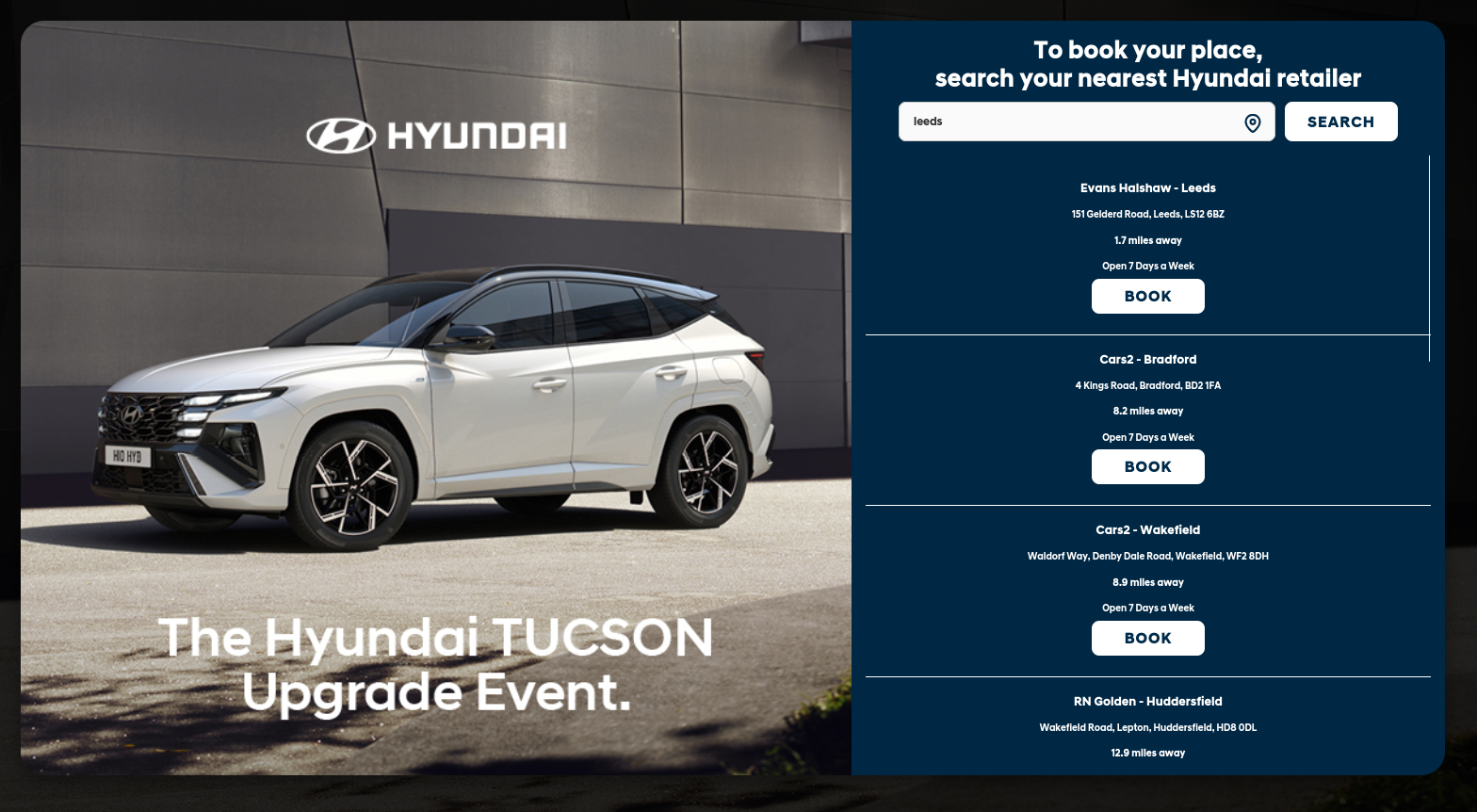
Our new feature now makes it even easier for customers to find their nearest retailer. Simply type in a location or use the “Find Me” pin to let their web browser detect their current position. The system instantly lists retailers in order of distance, showing the company name, town or city, full address, miles away, and whether they’re open seven days a week or closed on Sundays. This feature can also be embedded as an iFrame directly into a retailer’s website for a seamless customer experience. This feature can be used for both a national brand event and company event.
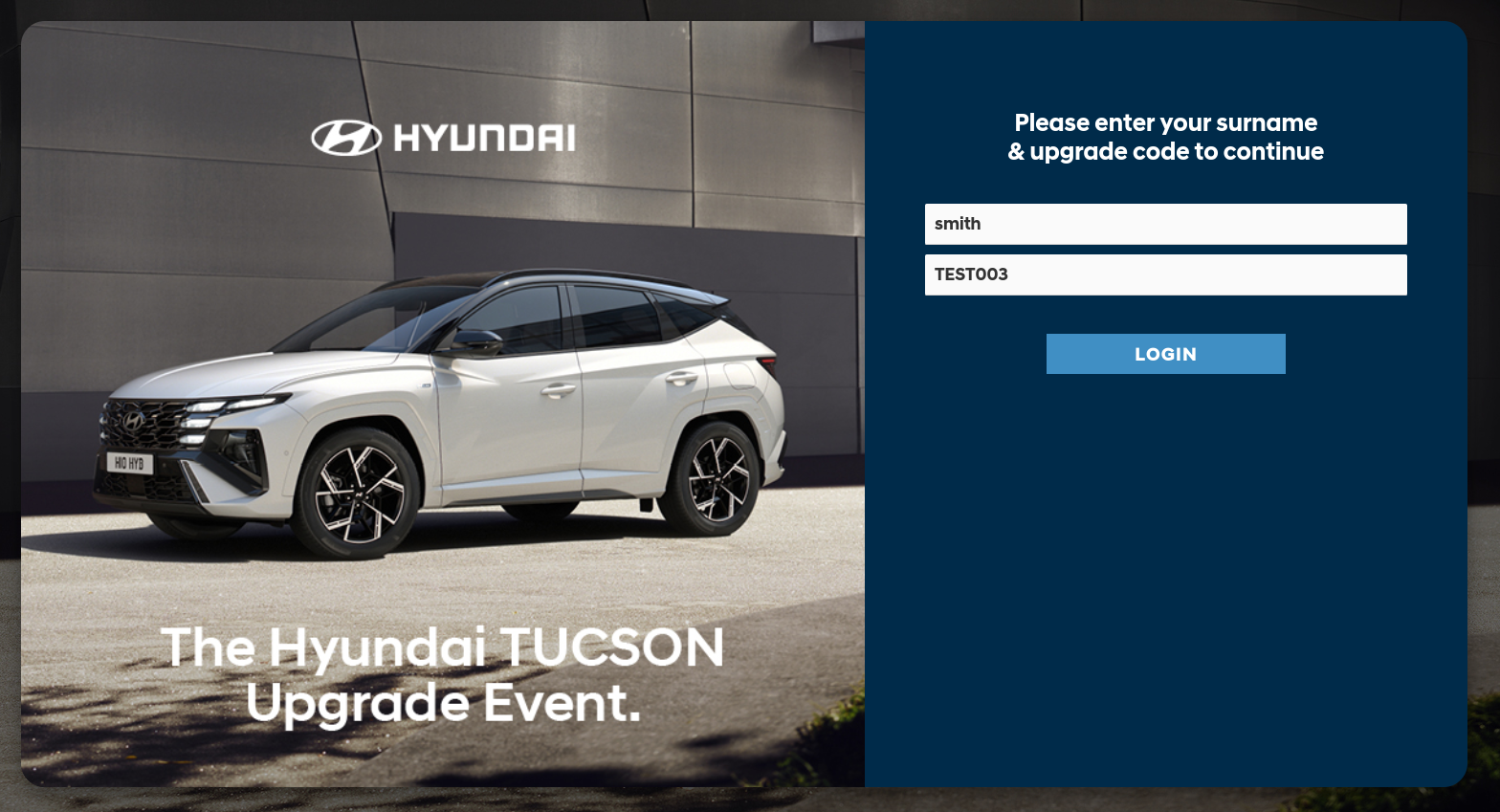
We’ve also introduced a new time-saving feature that automatically fills in users’ login details when they head to the booking form. By securely transferring their information, the system streamlines the sign-in process, reducing friction and helping customers get straight to their booking faster than ever.
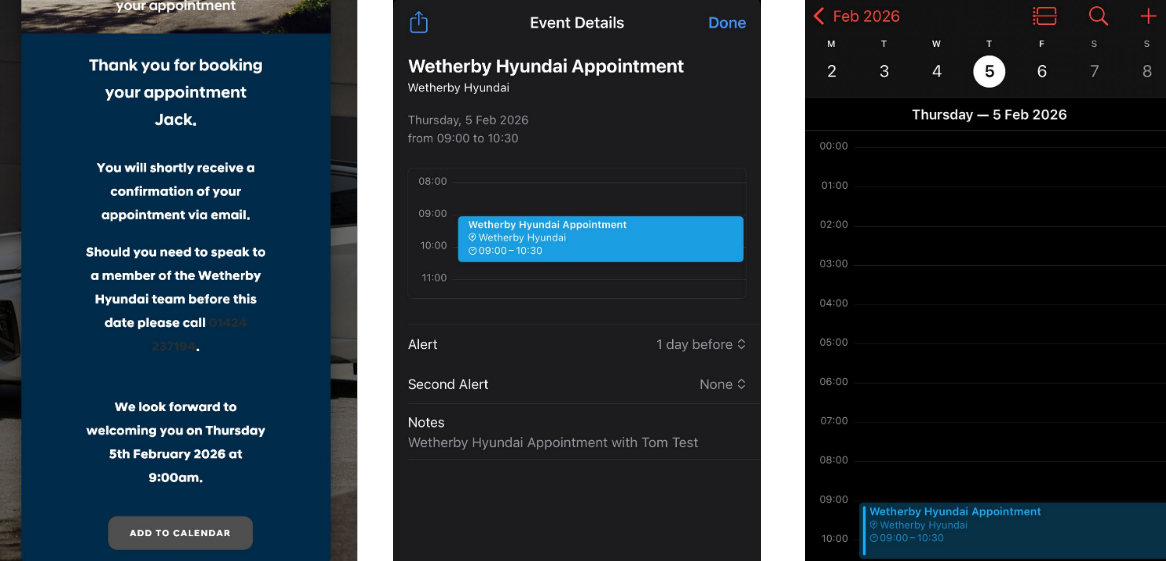
Our new Add to Calendar feature makes it even easier for customers to remember their appointment. After completing a booking on a mobile device, customers can instantly add the appointment details to their phone’s calendar across all devices, automatically setting a reminder so they never miss their scheduled appointment. This seamless integration helps customers stay organised with just a couple of taps.
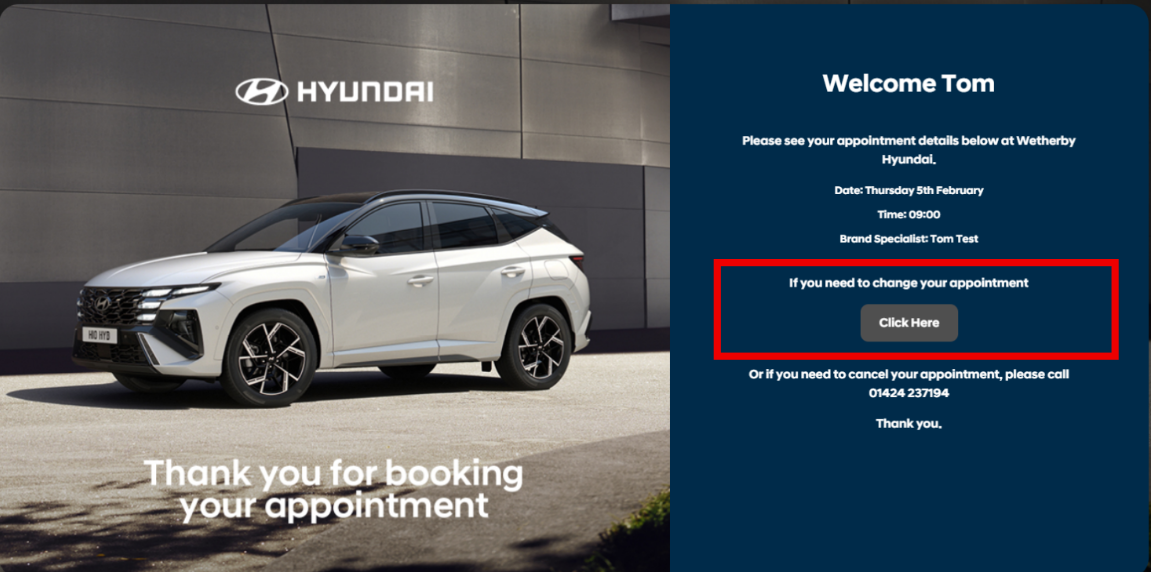
Customers can now conveniently edit their appointment details online, including the date, time, and preferred brand specialist, giving them greater flexibility and control. However, if they need to cancel their appointment entirely, they will still be required to contact the retailer directly to ensure the cancellation is handled properly.
If you’d like to explore how these new features can improve your event bookings, we’re always here to help. Our team can walk you through the updates, show examples in action, or help you add them to your next event.
Whether you want to boost customer experience, reduce admin time, or make your booking forms feel more modern, we can support you every step of the way.
Ready to get started? Get in touch with us anytime and we’ll be happy to chat.